A smart garage door opener lets you check and control a compatible door with an app. It may send alerts when the door moves or stays open. The right model must fit the door, connect well to your home network, and still allow safe use by hand.
At Utica Garage Door Repair, homeowners and property owners can learn how connected features fit their garage door needs. Smart controls can make access easier, but they cannot fix a worn door or make an unsafe opener safe. In Utica, start by checking the door and opener before choosing new features.
Table of Contents
- What does a smart garage door opener actually add?
- How does a smart opener connect to your garage door?
- What should you check before choosing a smart opener?
- Which opener drive type works best with smart features?
- How secure and dependable are smart garage door openers?
- What is involved in installing and setting up a smart opener?
- When is a smart opener worth choosing, and when is it not?
- Frequently Asked Questions
What does a smart garage door opener actually add?
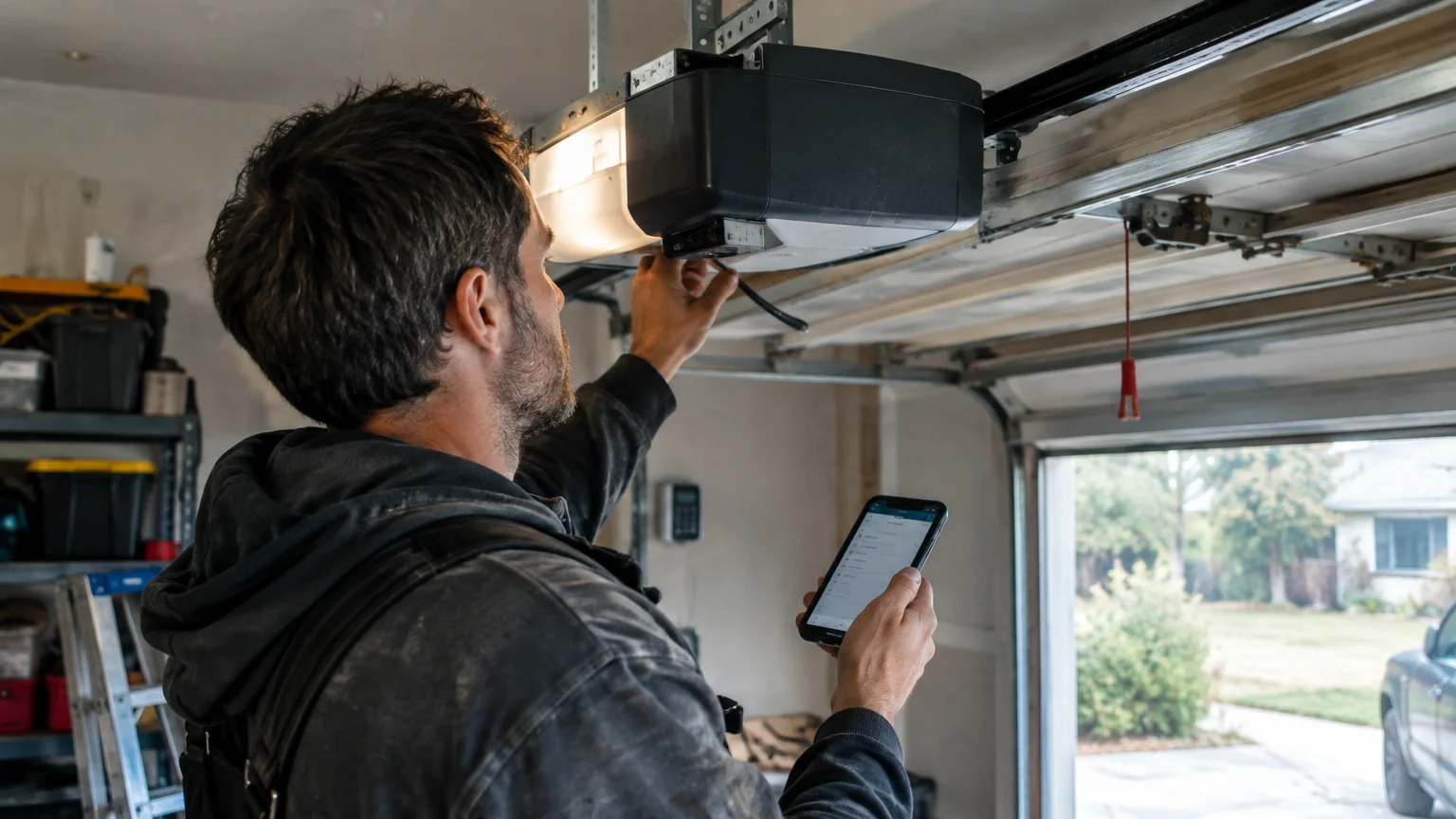
A smart opener adds app control and information about door activity. With some models, you can check whether the door is open, close it from your phone, or get an alert when it moves. These features help people keep track of garage access without relying only on a handheld remote.
Remote monitoring and control
A connected opener usually works with an app on a phone or tablet. If the garage has a good network connection, the app may show the door’s status and let an approved user control it from elsewhere. This can help when you are unsure whether the door was left open or need to let in an expected visitor.
Remote control does not replace watching the door close. People, pets, and objects must stay out of its path. Check that the door has closed fully after using the app. A phone command cannot always tell whether something is in the way, unless the system has sensors that can detect and report it.
Alerts, schedules, and activity history
Some systems can send alerts when the door opens, closes, or stays open. Other models may include schedules or an activity history. Features vary by product and app, so check what comes with the system before you choose. An activity record may help you see when the door was used, but it may not say who used it.
These tools matter most when they meet a real need. A family may want alerts when children arrive home. A small business may want to check a delivery entrance. Utica Garage Door Repair can help property owners weigh these features against safe door use and dependable access.
How does a smart opener connect to your garage door?
A smart opener connects the garage door motor to an app through built-in Wi-Fi or a separate smart controller. The opener moves the door, while the app sends commands through the home network. The setup depends on the product and whether the current opener works with connected controls.
Built-in Wi-Fi versus a smart controller
An opener with built-in Wi-Fi has its network connection inside the unit. A smart controller is a separate device that can work with some existing openers. It may be a useful choice when the current motor works well, but you need to check that the two products are compatible first.
A controller will not work with every older opener. Some systems need a certain wall control, safety sensor, or opener response. Check the product maker’s list of supported openers before buying. If the information is hard to understand, a garage door opener repair professional can check your setup and explain which choices may fit.
How the opener, app, and home network work together
The app sends a command over the internet to the opener or controller. That device then tells the opener to move the door. Status updates travel back through the network to the app. A weak signal in the garage can interrupt this link, even when your phone works well in other rooms.
Some systems also work with voice assistants or other smart-home tools. Features differ between products, and each person may need their own access set up. Keep the app and device software current, and follow the maker’s instructions. Smart controls are an extra way to use the door; they do not replace a wall control, remote, or manual release.
What should you check before choosing a smart opener?
Check the door, current opener, and garage network signal before picking a smart model. A new opener must suit the door’s size, weight, balance, and hardware. It also needs a steady connection and app features that work for the people who will use it.
Door type, size, balance, and opener compatibility
The opener must be made to lift the door it will move. A light single door may need different support from a large, heavy, or often-used door. The door should also move smoothly and stay balanced. A door that is out of balance can strain the opener, so a smart upgrade should not hide a mechanical problem.
Compatibility includes more than the motor. The rail, mounting space, safety sensors, wall control, and wiring can affect which models fit. If the door sticks, hangs unevenly, or makes new sounds, have it checked before choosing an opener. Garage Door Maintenance can help find wear that may affect a new system. Check the full door, including the garage door seal, as part of its condition.
Wi-Fi coverage, app support, and smart-home integration
A good phone signal inside the home does not prove that the garage has strong Wi-Fi. Check the signal where the opener will sit. Then review the app and network needs listed by the maker. A system that often loses its connection may not send steady alerts or allow reliable remote control.
Think about who needs access and how you will manage it. The app should make it clear how to add or remove users, check activity, and change account access. If the garage is part of a business, decide who needs access during work and who can change settings. Keep a working remote or wall control as a backup.
Which opener drive type works best with smart features?
Smart features can work with several drive types. The drive choice is mostly about the door, noise, space, and how often the door is used. Belt, chain, and screw drives move the door in different ways. Choose a drive that fits your garage, then compare smart features among models that work with your door.
Belt, chain, and screw drives
A belt-drive opener uses a strong belt to move the door. Many homeowners consider one when they want less opener noise, especially if a bedroom is near the garage. A chain-drive opener uses a metal chain. It can suit many common garage setups, but its movement may be easier to hear inside the home.
A screw-drive opener moves the door with a threaded rod. Whether it is a good fit depends on the model and door system. Each drive needs proper setup and care. None can fix a damaged track or an unbalanced door. Features such as alerts and app control are separate from how the motor moves the door.
Noise, lifting needs, and mounting options
Listen to the door before deciding the opener is the source of noise. Rollers, hinges, tracks, and loose parts can also make sounds. A door that moves smoothly helps any opener work as it should. The opener must also suit the door’s lifting needs and the space above or beside it.
A wall-mount opener sits beside the door instead of using a ceiling rail. It may work in some garages with little overhead space, but the door and hardware must suit this setup. Compare each product’s fit and installation rules. If the door needs repair, Garage Door Off Track Repair or Garage Door Cable Repair may matter more than adding connected controls.
How secure and dependable are smart garage door openers?
A smart opener can work well when its network, app, and door parts are in good shape. Security also depends on account settings and how you share access. Use strong, different passwords for your accounts, keep software updated, and remove access for people who no longer need it.
Account security, encryption, and access sharing
Choose a product maker that explains its security and update practices. Use extra account protection if the app offers it, such as a second sign-in check. Do not share one household login with more people than needed. If the app allows individual users, give each person their own access so you can remove one person later.
An activity record may help you notice an unexpected door movement, but it is not a security guarantee. Keep garage entry codes private and change them when access needs change. For a business, set clear rules about who may use the app and who may add users. The door, lock, sensors, and opener still matter as much as the phone app.
What happens during an internet or power outage
When the internet is down, remote app control and alerts may stop. A wall control or compatible remote may still work if the opener has power. During a power outage, the opener may not move the door unless it has a backup battery. Check the product details and learn how to use the normal manual release.
Do not pull the manual release while the door is open or seems unstable. A door with a broken spring or cable can fall, and its weight may be hard to control. Keep people away and seek Garage Door Opener Repair if the opener fails or the door will not move safely. Smart features are extra help, not the only way into the garage.
What is involved in installing and setting up a smart opener?
Installing a smart opener means fitting a compatible motor and controls, then checking the door and its safety features. Setup also includes connecting the app and testing remotes, keypads, and user access. The work can vary with the door, current parts, wiring, and product instructions.
Installing the opener and confirming door safety
Before an upgrade, the installer checks that the door moves smoothly and that its springs, cables, rollers, and tracks look sound. The opener should not force a damaged or unbalanced door to move. Spring and cable work can be dangerous because these parts hold strong tension. A trained professional should handle this work with the right tools.
The new opener must be mounted and connected according to the maker’s instructions. Safety sensors need to be in place and tested, and the door should respond to its controls. You do not need a professional for simple upkeep, such as clearing debris near a sensor or checking a remote battery. Repairs to parts under tension should be left to a trained technician.
Connecting the app, remotes, keypad, and household users
When the hardware is ready, setup usually means connecting the opener to the home network and following the app’s prompts. The installer or owner can then test the wall control, compatible remotes, and keypad. Each control should work as expected. Users should know which one to use if the app is unavailable.
Household members should only get the access they need. Owners can check the app’s user list and learn how to remove access later. A business should also decide who will manage account changes when staff roles change. Utica Garage Door Repair can discuss opener choices for properties around Utica, including Deerfield Heights, Deerfield, New Hartford, Whitesboro, Ilion, Holland Patent, and nearby communities. The team can also help check whether the door needs care first.
When is a smart opener worth choosing, and when is it not?
A smart opener may be useful when remote checks, alerts, or shared access make daily use easier. It may not be the right first step if the door is damaged, the network is weak, or you will rarely use connected features. The best choice solves a real need without putting safe door use aside.
Situations where connected features are useful
Connected controls can help a household that often wonders whether the garage door is closed. Alerts may help when family members use different remotes or when an owner needs to check the garage from elsewhere. A small business may also value app access when approved staff need to use the door.
Think about what will happen during a network or power problem. Keep another control ready and make sure household members know how to use it safely. Compare app features, user controls, and product support instead of choosing based only on a “smart” label. The best garage door opener is one that fits the door and is simple for people to manage.
Signs the door or existing opener needs repair before an upgrade
A smart opener will not repair a door that is off track, uneven, unusually loud, or hard to lift. A door that reverses for no clear reason may also need a closer check. These signs can point to a problem with the door, sensors, hardware, or opener. Find the cause before adding connected controls.
Do not try to adjust springs, lift cables, or bottom brackets. These parts can release force and cause serious harm. You can keep the sensor area clear and check simple items, but a trained technician should look at unsafe movement or damaged parts. Utica Garage Door Repair serves homeowners and property owners who need help choosing a safe next step.
Key takeaways
- A smart opener adds app control, alerts, and sometimes an activity record.
- The door, opener, network, and app all need to work together.
- Belt, chain, and screw drives differ in noise, layout, and use.
- Remote features do not replace safety sensors or backup controls.
- Repair a damaged or unbalanced door before adding connected features.
Conclusion
A smart garage door opener can make access easier, but the door still needs sound parts and safe movement. Choose a system that fits the door, network, and people who will use it. If the door or opener is failing, deal with that problem before relying on an app. Contact us today to discuss a suitable opener or arrange repair help.
Frequently Asked Questions
Can a smart opener work with an existing garage door opener?
Sometimes. A separate smart controller may work with an existing opener, but it depends on the opener and its controls. Check the controller maker’s compatibility details before you buy. If the opener is old, damaged, or unreliable, replacing it may be better than adding connected features to a failing system.
Will the app work if the home internet goes out?
Remote app control and alerts may stop when the internet is unavailable. A wall control or remote may still work if the opener has power. Check the product details for backup options and keep another safe way to use the door. Do not rely on an app as your only way to enter the garage.
Can a smart opener tell who opened the garage door?
Some apps show when the door opened or closed, but may not identify the person. Some systems can link an event to a user or control, but features vary. Review the product’s activity and access tools. An activity record can help track door use, but it does not replace good account security.
Is a belt-drive opener always quieter?
People often choose a belt-drive opener when they want less motor noise, but it cannot stop every sound. Worn rollers, loose parts, or a door that needs repair may still make noise. The whole door system affects sound. Have new or unusual noise checked before choosing a different drive type.
Should a homeowner install a smart garage door opener?
A homeowner can handle simple checks, such as clearing sensor areas and testing a remote battery. Installing an opener involves mounting equipment and checking safe operation. Spring, cable, and bottom-bracket work can be hazardous, so leave it to a trained professional. Follow the product instructions and get help if the door does not move safely.
If you are unsure what is wrong, have the door checked before the problem gets worse. Utica Garage Door Repair can help you understand the next step.
If you are not sure what you are dealing with, it is worth having someone look at it before it turns into a bigger job. Get in touch with Utica Garage Door Repair today and we will tell you where you stand.